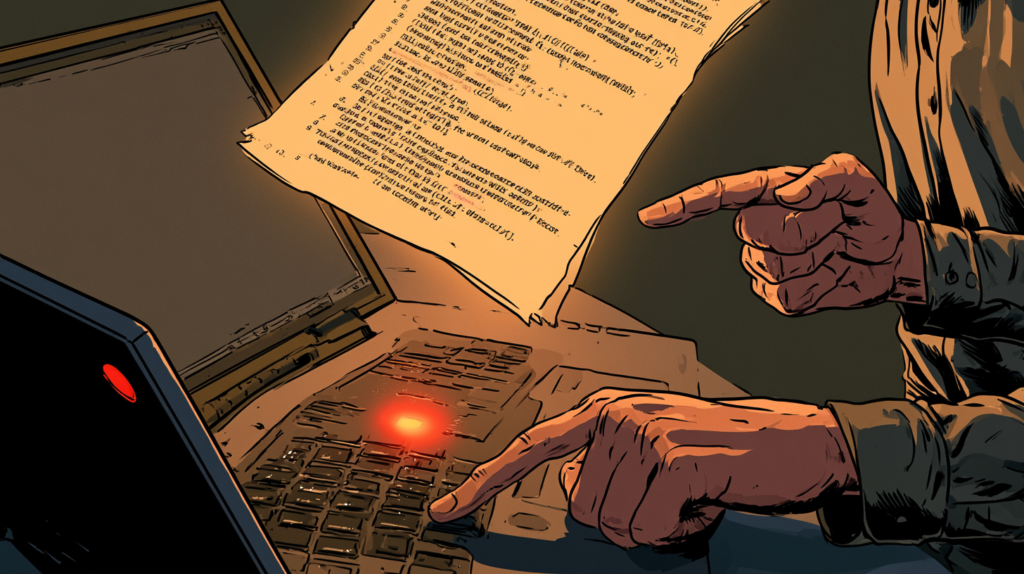
The Problem With Agent Skills
AI coding agents like Claude Code, Copilot, and Hermes can follow SKILL.md files — step-by-step procedure documents that tell them how to accomplish a task. The problem is writing those skills. You have to manually document every step, capture every edge case, and translate your muscle memory into text instructions that an AI can follow [S1].
Microsoft’s Skill Recorder, released July 29, 2026, eliminates that manual work. You do the task once. It watches. Then it uses the GitHub Copilot CLI to write the skill for you [S1].
How It Works: Record, Analyze, Generate
The workflow is four steps [S1]:
Step 1 — Record. Press Ctrl+Shift+R (or Cmd+Shift+R on macOS) from anywhere on your desktop. Skill Recorder starts capturing your screen and activity locally. It tracks window and app switches, browser URLs on macOS, clipboard previews (short text snippets), and optional voice narration. The narration is transcribed on-device using Whisper, supporting 99 languages [S1].
Step 2 — Control. A small always-on-top bar shows capture and microphone state. You can mute, unmute, switch microphones, finish the recording, or discard the take. Nothing leaves your computer until you click Analyze [S1].
Step 3 — Analyze. Click the Analyze button and the recording — event timeline, extracted screen images, and narration text — goes to GitHub’s cloud where Copilot reconstructs one overall intent plus an ordered list of steps. You can review and edit the reconstruction until it accurately describes what you did [S1].
Step 4 — Create. Click Create and Skill Recorder generates a reusable SKILL.md file that any compatible agent can replay. It can also generate a scheduled Automation [S1].
The Key Design Choice: Generalization, Not Replay
Skill Recorder does not record and replay UI clicks. Instead, it generalizes from one example [S1].
When you record yourself submitting a form on one website, the generated skill does not contain coordinates or CSS selectors for that specific form. It contains an intent submitting a support ticket and ordered steps that describe the logical actions navigating to a page, filling fields, and submitting. The agent then uses its own native tools — like web fetching, terminal commands, or API calls — to accomplish the same intent on any similar form [S1].
This means one recording teaches the agent a general capability, not a script for one specific page. The agent’s existing tools handle the variation.
What Gets Captured
All capture happens locally before you click Analyze [S1]:
- Window/app switch tracking — which applications you used and in what order
- Browser URLs (macOS only) — pages you visited
- Screen video — low-rate snapshots only when the screen actually changes, not continuous video
- Clipboard previews — short text snippets you copied
- Optional narration — transcribed on-device via Whisper, approximately 252 MB model download
When you click Analyze, the event timeline, extracted screen images, and narration text are sent to GitHub’s cloud for Copilot to process. Before that click, nothing leaves your computer [S1].
Getting Started
Prerequisites
You need [S1]:
- A GitHub account with Copilot access (the Copilot CLI ships with the app and handles the AI reconstruction)
- macOS (primary target), Windows 11 (x64 or ARM64), or Ubuntu
- No administrator access required — everything installs to user-space
Install
Go to the latest release and copy the install command for your platform [S1][S2]:
macOS / Ubuntu: “bash commit="<40-character-release-commit>" curl -fsSL 'https://raw.githubusercontent.com/microsoft/skill-recorder/' + commit + '/install.sh' | SKILL_RECORDER_COMMIT="$commit" bash “
Windows (PowerShell): “powershell $commit="<40-character-release-commit>" $env:SKILL_RECORDER_COMMIT=$commit irm 'https://raw.githubusercontent.com/microsoft/skill-recorder/' + commit + '/install.ps1' | iex “
The install script downloads a pinned Node.js 24 runtime, fetches the exact source commit from GitHub, runs npm ci and builds locally, validates licenses, and creates a Skill Recorder app or shortcut [S2]. No global Node.js installation is needed [S1].
Use
- Launch Skill Recorder. Grant Screen Recording permission on macOS.
- Press Ctrl+Shift+R to start recording.
- Do your task. Narrate what you are doing if you want richer instructions.
- Click Analyze. Sign in to Copilot if prompted.
- Review and edit the reconstructed intent and steps.
- Click Create to generate a SKILL.md and/or Automation [S1].
Limitations to Know
Copilot dependency. The entire analysis and generation pipeline depends on having Copilot access. Without it, the app is a local screen recorder with no AI reconstruction [S1].
Privacy boundary. When you click Analyze, your recording data goes to GitHub’s cloud. Before that click, everything stays local. If your task involves sensitive information, review what was captured before analyzing [S1].
No prebuilt binaries. The installer builds from source locally. You need a working build environment and network access to npm. Enterprise policies that block piping scripts to shell may prevent installation [S1].
Browser URL capture is macOS only. On Windows and Linux, the tool captures window switches and screen snapshots but not specific browser URLs [S1].
Security policies may block locally assembled components. macOS Gatekeeper or Windows Smart App Control may flag the locally built app. Check your security settings if the app will not launch [S1].
Verdict and Conclusion
Score: 5/5 — Do Not Miss. Microsoft has solved the hardest part of agent skills — writing them. Instead of documenting procedures manually, you do the task once and get a reusable SKILL.md that any agent can replay. The generalization approach a focus on intent and ordered steps rather than click replay means one recording produces a skill that works across different contexts.
Best for: Any developer who uses AI coding agents and has repetitive tasks they want to automate. If you already have Copilot access, this is essentially free.
Skip if: You don’t have Copilot access, or your tasks involve highly sensitive data that cannot go to GitHub’s cloud for analysis.
Evolve this: Try recording a multi-step deployment workflow — build, test, deploy, verify — and see if the generated skill can reproduce the entire pipeline from a single recording.
Sources
- [S1] microsoft/skill-recorder GitHub repository — GitHub (2026-07-29)
- [S2] Skill Recorder INSTALL.md — GitHub (2026-07-29)