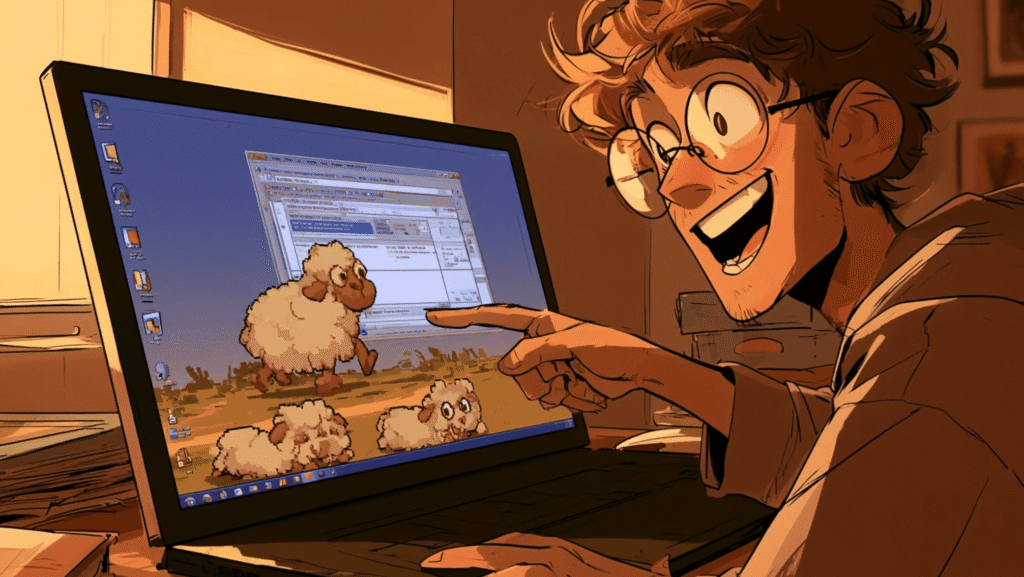
A Sheep Walks Across Your Desktop Again
If you used a Windows PC in the 1990s, you might remember a small sheep that wandered across your screen, nudged your windows, and occasionally toppled off the taskbar. That was eSheep — the Stray Sheep — a tiny desktop pet that charmed a generation of office workers and home users [S2].
The original was a 16-bit program that quietly stopped working on 64-bit Windows. Adrianotiger, a developer who missed it, rewrote the whole thing in C# and open-sourced it on GitHub [S1]. Ten years and 1,129 stars later, it is more alive than ever — the latest release shipped August 8, 2025, and the repository received new code as recently as August 3, 2026 [S3, S1].
Grandma-test difficulty: 1/5 — download, extract, double-click Try-it time: under 30 seconds Worth your time: 5/5 — Do Not Miss
What You Need
- A Windows PC (7, 8, 10, or 11). That is it [S1].
- No terminal. No installer. No account. No internet connection after the 0.6 MB download [S3].
- If you are on a Mac, Linux, or do not want to download anything, there is a web-based version you can try in your browser instead (more on that below) [S4].
Get the Sheep on Your Screen in 3 Steps
Step 1 — Download the file. Go to the GitHub releases page:
“ https://github.com/Adrianotiger/desktopPet/releases/latest “
Click DesktopPet.zip to download it. The file is about 0.6 MB — smaller than most photos on your phone [S3].
Step 2 — Extract it. Right-click the zip file and choose Extract All, or just double-click it on Windows 11. You will see a file called DesktopPet.exe inside.
Step 3 — Double-click DesktopPet.exe. A sheep appears at the top of your screen, looks around, and starts walking. It will amble across your desktop, reach the edge, and fall — bouncing off your taskbar like a tiny cartoon character [S1].
That is the whole setup. There is no installation wizard, no settings screen, no account to create. The exe runs from anywhere — your Downloads folder, your desktop, a USB stick.
First Thing to Try: Fill Your Screen With Sheep
Once the first sheep is walking, right-click the sheep itself (or the small sheep icon in your system tray, near the clock). A menu appears with options:
- Add sheep — click it. Then click it again. Then again.
- Each new sheep starts at a random position, independently wandering, falling, and climbing your windows [S1].
Within seconds, you will have half a dozen sheep crisscrossing your desktop, bumping into each other and napping on your taskbar. Take a screenshot — it is genuinely funny.
If you prefer the one-click route, the project is also available on the Microsoft Store for Windows 10 and 11, which installs it as a proper app with a pet-picker interface [S1, S2].
Make It Yours: Swap Pets and Colors
eSheep is not just a sheep. The project ships with 12 screen mates [S1]:
- The classic eSheep (the 1995 original, lovingly recreated)
- Eight colored sheep: blue, green, orange, pink, purple, red, yellow — each with over 250 animations thanks to community contributor Oliver [S1]
- Bugs Bunny, Asuna (from Negima), Neko (a cat), and Pingus (a Linux penguin)
To change your pet on the portable version, right-click the tray icon, select a different mate from the list, and the new pet immediately walks onto your screen.
Play challenge: Try to find the rainbow sheep. It cycles colors as it walks — see if you can screenshot it mid-color-change, one shade blending into the next [S1].
The Browser Version: Sheep on Any Webpage
If you are not on Windows, or you just want to show a friend without making them download anything, there is a web-based version [S4]:
“ https://adrianotiger.github.io/web-esheep/samples/demo1.html “
Open that link, click the Add Sheep button, and a sheep starts walking across the page. You can add as many as you like [S4].
The web version also comes with a Tampermonkey script — a small browser extension that adds a sheep to Google and Bing search pages [S4]. So every time you search for something, a tiny sheep strolls across your results. It is absurd and delightful.
Developers can embed the sheep on their own websites by adding one JavaScript tag. The web version has 125 stars on its own GitHub repository [S4].
Optional Expert Rabbit Hole: Build Your Own Pet
Here is where it gets deeper. Every pet in eSheep is defined by two things [S1]:
- A PNG sprite sheet — a single image with transparency containing every frame of every animation, arranged in a grid. Something like 1000×500 pixels.
- An XML file (
animations.xml) — a text file that tells the app which frames to show for each action: walking left, walking right, falling, sleeping, head-butting a window.
The project includes an offline Pet Editor that lets you build a custom pet visually — arrange your sprite sheet, define animations frame by frame, and export the XML [S1]. You can download it from the same GitHub releases page.
Community members have contributed pixel-art cats, anime characters, and even a penguin. If you can draw a character and name your frames, you can make it walk across someone’s desktop.
Want to go further? The XML format supports multi-step animation chains, conditional behaviors (the pet reacts differently near window edges), and child spawning — a pet that summons smaller pets [S1]. The Wiki on the GitHub repository documents every tag [S1].
One Honest Thing to Know
The repository does not carry a standard open-source license like MIT or GPL. The source code is publicly available on GitHub and free to download, but GitHub itself reports no recognized license [S1, S12]. If you want to fork it, redistribute it, or include it in a product, you should reach out to the maintainer first. For personal use — running a sheep on your own desktop — this is not a concern, but it is worth knowing if you fall in love and start planning a spin-off.
The Windows version also requires the .NET Framework, which ships with Windows 7 and later, so most users will never notice. Mac and Linux users will need to use the web version — the desktop exe is Windows-only [S1, S4].
The Bottom Line
Best for: Anyone who used a PC in the 90s and wants 30 seconds of pure nostalgia. Also: anyone who has never seen eSheep and needs proof that software can be pointless, delightful, and worth every second.
Skip if: You have no tolerance for whimsy, or you are on a machine where you cannot run a Windows exe and the web version feels too lightweight.
eSheep is the project I send to people who think open source is all servers and terminals. It is a sheep that walks on your screen. It takes 30 seconds to set up. It costs nothing. And ten years after someone rebuilt it out of love for a 1995 screensaver, it still gets new code and new pets [S10, S1].
Try it tonight. Add five sheep. See if you can screenshot one mid-fall.
Sources
- [S1] Adrianotiger/desktopPet – Remembering the lovely eSheep (stray sheep) from 1995 — GitHub (2015-12-19)
- [S2] Desktop Pet (eSheep 64bit) – Download page — Adrianotiger GitHub Pages (2015-01-01)
- [S3] Release Version 1.3.2 – Adrianotiger/desktopPet — GitHub Releases (2025-08-08)
- [S4] web-esheep – Web based version of the eSheep — GitHub (2015-01-01)
- [S5] eSheep YouTube demonstration video — YouTube (linked from official README) (2015-01-01)