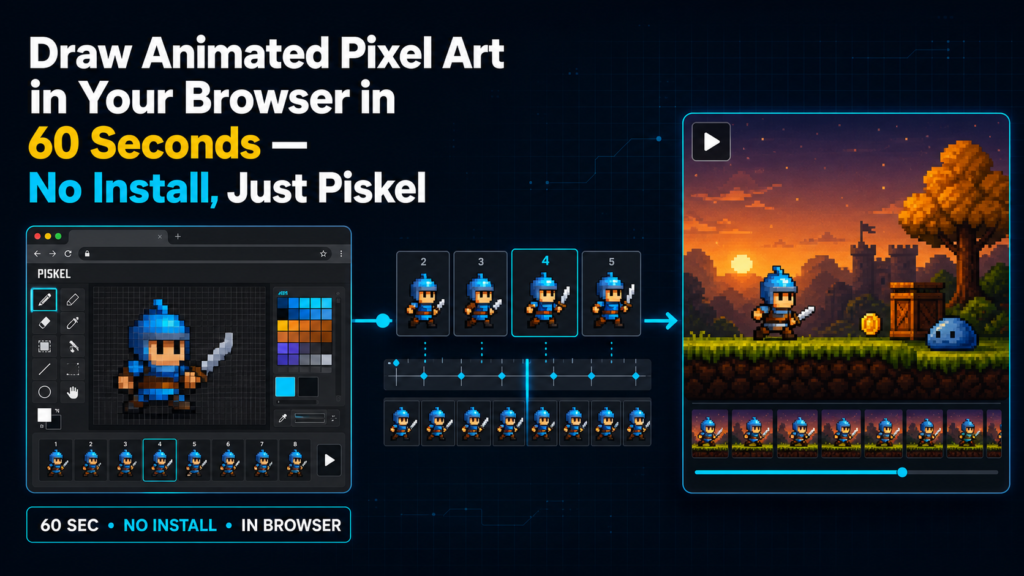
Piskel delivers instant creative payoff — animated pixel art in your browser with zero setup — making it the rare tool a complete beginner can master before their coffee gets cold.
You have seen those tiny animated sprites in retro games — the knight swinging a sword, the coin spinning, the character blinking. You thought, I would love to make that. Then you looked at the tools: Aseprite (paid, install required), Photoshop (expensive, steep curve), or a Python library needing a virtual environment and three dependencies before you draw a single pixel.
What if you could just open a tab and start drawing?
Grandma-test difficulty: 0/5 — open a link and draw Try-it time: 60 seconds to first animated sprite Worth your time: 5/5 — Do Not Miss
What you need
- A web browser (Chrome, Firefox, Edge, Brave)
- Zero accounts, zero installs, zero dollars
- Optional: a mouse or trackpad (touch is not supported on mobile)
Simple setup walkthrough
1. Open the editor
Go to piskelapp.com and click the big Create Sprite button. The editor loads instantly — no splash screen, no login wall [S1]. The project is free and open source with 12,700 stars [S5].
2. Pick your canvas size
The default is 32×32 pixels — perfect for game sprites. You can change it in the right sidebar under Sprite size if you want more room. Leave it at 32×32 for your first one [S3].
3. Draw your first frame
Click the pencil tool (top-left toolbar, or press the P key). Pick a color from the palette. Click pixels on the canvas. Thats it. Draw a simple shape — a ball, a heart, a smiley face. The live preview on the right shows your sprite at 1x, 2x, and 4x scale in real time [S1].
4. Make it move — add a second frame
Click the + button in the timeline at the bottom (or press the F key). A new blank frame appears. Turn on onion skinning (the ghost icon in the timeline) to see a faint overlay of the previous frame — this is how animators keep motion smooth. Draw your shape in a slightly different position. Add a third frame. Play the animation with the Play button [S2, S3].
5. Export and share
Click Export at the top right then choose GIF. Pick your scale (2x or 4x looks crisp on social media). Hit Download. You now have an animated GIF you can drop into Discord, Slack, a GitHub README, or text to a friend. No watermark, no account needed [S1, S3].
First thing to try: the bouncing ball challenge
- Frame 1: Draw a circle at the top of the canvas
- Frame 2: Move it down 4 pixels
- Frame 3: Move it down 4 more
- Frame 4: At the bottom — squash it slightly (wider, shorter)
- Frame 5: Stretch it as it bounces up (taller, narrower)
- Frame 6-8: Reverse the motion back to the top
- Set FPS to 12 in the timeline
- Hit Play then Export GIF
You just learned squash and stretch — one of Disney’s 12 principles of animation — in two minutes [S3].
Turn it into a game: sprite sheet showdown
Challenge: Make a 4-frame walk cycle for a tiny character in 10 minutes.
- Use the layer feature (stack icon in toolbar) to separate the character from a static background
- Turn on onion skinning to keep limbs consistent
- Export as PNG sprite sheet (Export then PNG then Sprite sheet) — this gives you a single image file with all frames in a grid, ready for game engines like Godot, Unity, or Pico-8
- Post your sprite sheet to share with a friend who codes games
Variation: Import a GIF you like (File then Import then GIF), study how someone else animated it, then trace over it frame by frame on a new layer. This is how pixel artists learn — by reverse-engineering the masters [S3].
Optional expert rabbit hole
If you want to go deeper, Piskel has more under the hood:
- Layers: Separate foreground, background, and effects — toggle visibility, reorder, adjust opacity
- Transform tool: Select, move, rotate, flip, or scale any selection across frames
- Color palette management: Save custom palettes, import/export GPL (GIMP/Inkscape) or ASE (Aseprite) palette files
- Keyboard shortcuts: P for pencil, E for eraser, B for bucket fill, L for line, R for rectangle, C for circle, bracket keys for brush size, F for new frame, Spacebar to pan canvas
- Offline desktop app: Download Windows/macOS builds from the wiki — same features, works without internet [S4]
- Self-host: The source is Apache-2.0 — deploy your own instance on any static host (Netlify, Vercel, GitHub Pages) [S2]
- CLI tool: piskel-cli (in the repo’s cli folder) can batch-convert piskel files to GIF/PNG/JSON from the command line — useful for asset pipelines [S2]
None of this is required to have fun. It is there when you are ready.
One thing to know
No mobile support. Piskel relies on mouse hover states and keyboard shortcuts that do not translate to touchscreens. The team explicitly states there is no mobile/tablet support [S3]. On a phone, you will get the landing page but not the editor. Use a desktop or laptop browser.
Also: the last formal numbered release was v0.15.0 in 2018. The live site at piskelapp.com runs the current master branch (last updated April 2026 with Vite migration, Playwright tests, and Biome linting). If you self-host, build from master — the old release zips are outdated [S2, S5].
The bottom line
Try it tonight if: you have ever wanted to make pixel art but bounced off complex tools; you need a quick animated avatar for Discord or GitHub; you are teaching a kid (or yourself) animation basics; you want a zero-friction creative break.
Skip it if: you are on mobile only; you need advanced features like tilemap editing, palette cycling, or frame tagging (look at Aseprite or Pixelorama for those); you want a native app with tablet/stylus pressure sensitivity.
Piskel is not the most powerful pixel art tool. It is the most accessible. The gap between I wish I could make that and Look, I made this bounce is one URL and sixty seconds. That is rare. That is worth bookmarking.
—
Sources: S1 piskelapp.com live site, S2 GitHub piskelapp/piskel repo and API, S3 README.md, S4 Wiki Desktop-applications, S5 GitHub API metadata
Sources
- [S1] Piskel – Free online sprite editor (piskelapp.com) — Piskel Project (2026-08-14)
- [S2] piskelapp/piskel: A simple web-based tool for Spriting and Pixel art — GitHub (piskelapp/piskel) (2026-04-09)
- [S3] Piskel README: Features, libraries, browser support, and offline builds — GitHub (piskelapp/piskel README) (2026-04-09)
- [S4] Piskel wiki: Desktop applications and offline builds — GitHub Wiki (piskelapp/piskel) (2026-04-09)
- [S5] Piskel GitHub repository metadata — GitHub API (2026-08-14)