The Hook
You have a photo on your phone or computer. A sunset, your cat, a screenshot of something funny. What if you could turn it into text art — the kind that looks like a matrix of characters but somehow still looks like the image — in about three seconds, without installing a single thing?
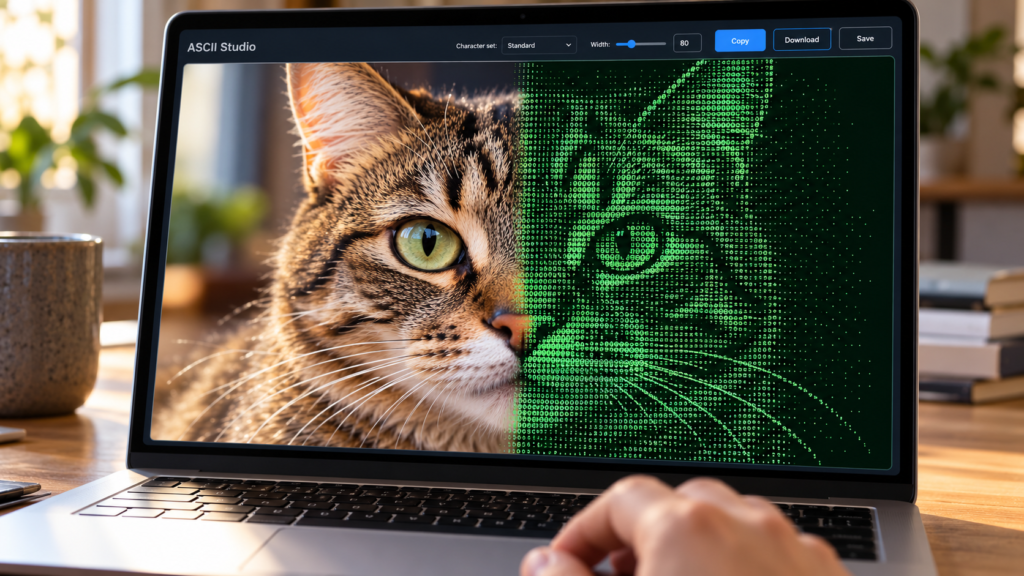
That’s exactly what ASCII Studio does. Open a link, drop an image, and you’re staring at your photo rebuilt from @, #, %, =, +, *, :, -, . characters. It’s the kind of thing you immediately want to send to someone.
ASCII Studio delivers instant creative delight for complete beginners by turning photos into ASCII art entirely in the browser with zero installation, making it the perfect try-tonight project for anyone curious about digital art.
Grandma-test difficulty: 0/5 — Open a link and interact; no account or install.
Try-it time: Under 60 seconds.
Worth your time: 5/5 — Do Not Miss. If you’ve ever wondered how those text-art images work, or just want a quick creative win, this delivers immediately.
What You Need
- A web browser (Chrome, Firefox, Safari, Edge — any modern one)
- An image file (JPEG, PNG, GIF, BMP, WebP, SVG, TIFF, or ICO up to 10 MB)
- That’s it. No account, no download, no terminal, no code. Works on mobile too.
Simple Setup Walkthrough
Step 1: Open the tool
Go to https://jazsi.github.io/ASCII-Studio/ [S2]. The page loads in a second or two. You’ll see a clean sidebar on the left and a large empty canvas on the right.
Step 2: Drop your image
Click the upload area or literally drag any image file from your desktop or folder onto that box. The tool accepts JPEG, PNG, GIF, BMP, WebP, SVG, TIFF, and ICO files up to 10 MB [S1].
Step 3: Watch it happen
The ASCII version appears instantly in the main panel [S2]. No progress bar, no wait. Your photo is now made of text characters.
Step 4: Tweak to taste (optional)
The sidebar lets you fine-tune the result [S1]:
- Character Set: Switch between Standard (
@#%=+*:-.), Simple (█▓▒░), Dots (●◐○◌), or type your own custom characters - Output Width: Slide from 40 to 200 characters wide (default 80)
- Font Size: Adjust the preview size from 3 to 12
- Output Format: Choose Text (copyable, editable monospace) or Image (rendered canvas)
- Colors: Toggle Invert colors or Use original image colors, or pick custom background/text colors
Step 5: Export and share
Click Copy to grab the ASCII text to your clipboard, Download .txt to save it as a file, or Save .png to get a rendered image you can post anywhere [S1]. The Clear button resets everything for the next image.
First Thing to Try
Drop in a selfie, a pet photo, or a landscape shot. Use the default Standard character set at width 80. You’ll see your face (or your dog’s face) emerge from the character matrix — it’s the wait-that-worked moment that makes this tool special [S2]. Try a few different images to see how each one translates.
Turn It Into a Game or Challenge
The Guess the Original challenge: Convert a photo to ASCII, send only the text version to a friend or post it in a group chat, and see if they can guess what the original image was. Bonus points if you use the Simple or Dots character set for extra abstraction.
The Character Set Swap experiment: Take the same photo and cycle through Standard, Simple, Dots, Custom (try using only █░ or MWMW). Notice how the mood shifts from detailed newspaper print to blocky retro game to pointillist painting.
The Color vs. Monochrome test: Toggle Use original image colors on and off. The colored ASCII version often looks like a lost 1990s web artifact — delightfully weird.
Optional Expert Rabbit Hole
ASCII Studio is open source (MIT license) [S3] and built with React 19, TypeScript, Vite, and the Canvas 2D API [S1]. If you’re curious how it works:
- The core conversion logic lives in
src/lib/asciiUtils.ts— it maps pixel brightness to character density from your chosen ramp - Character ramps are defined in
src/lib/asciiData.ts— you can add your own by editing the array - The entire app is client-side; you can clone the repo, run
bun install && bun run dev, and have a local copy that works offline [S1]
For developers, this is a clean reference for client-side image processing with Canvas. For everyone else, the web version is already the full experience.
One Thing to Know
File size limit: The 10 MB cap means very high-resolution photos (like raw camera files) may need a quick resize first. Most phone photos and screenshots are well under this limit. If your image is rejected, screenshot it or use any free online resizer — takes ten seconds.
The Bottom Line
Try it tonight if: You want a genuine I-made-that moment in under a minute, you like the idea of turning photos into shareable text art, or you’ve ever been curious about how ASCII art works but didn’t want to learn a tool.
Skip it if: You need batch processing, programmatic control, or integration into a pipeline — this is a creative toy, not an automation tool. For that, look at CLI tools like ascii-image-converter or jp2a.
ASCII Studio is the rare tool that respects your time: open, drop, delight, share. No friction, no upsell, no data collection. Just pure, immediate creative payoff you can feel good about [S1][S2][S3].
Sources
- [S1] ASCII Studio — A fast, fully client-side ASCII art generator — JAZSI on GitHub (2022-12-22)
- [S2] ASCII Studio Live Demo — GitHub Pages (2022-12-22)
- [S3] MIT License — JAZSI / GitHub (2022-12-22)