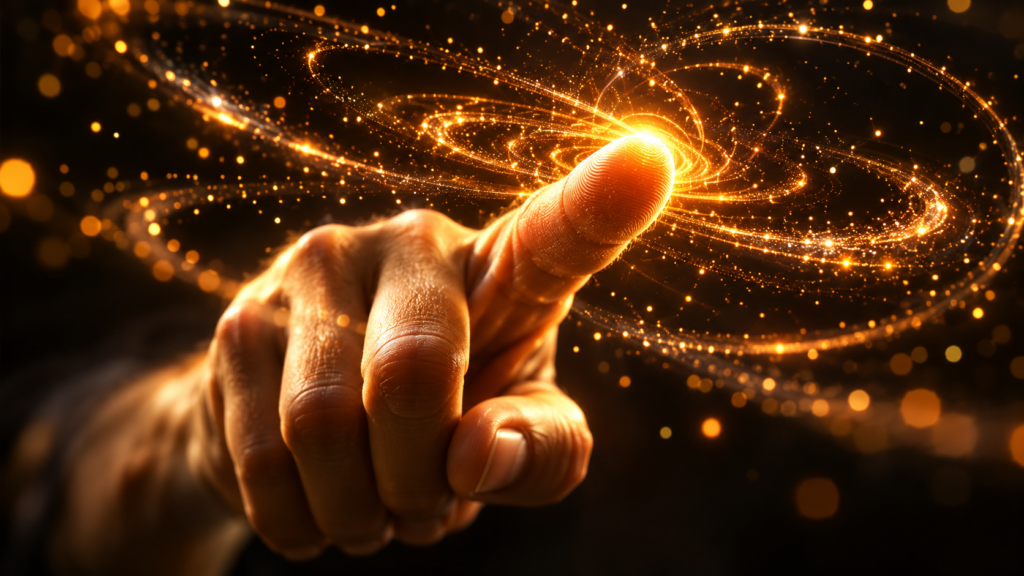
The hook
You’ve seen those sci-fi movies where someone waves their hand and holographic data swarms around their fingers like loyal fireflies. Particle Gravity Fun (also called Quantum Flux) lets you do exactly that — right now, in your browser, with the webcam you already have [S1]. No download. No account. No terminal. Just open the page, allow camera access, and your hand becomes a gravity well.
The first time you pinch your fingers and watch a supernova of color explode across the screen, or hold up two hands and see two galaxy clusters battle for dominance, you’ll understand why this project has racked up 10,000+ views and counting [S3]. It’s not a demo. It’s not a game. It’s an experience — and it takes under 60 seconds to reach that first “whoa” moment.
At a glance
| | | |—|—| | Grandma-test difficulty | 0/5 — Open a link, allow webcam, wave hand | | Try-it time | Under 60 seconds to first delight | | Worth your time | 5/5 — Do Not Miss: instant sci-fi magic in your browser |
What you need
- A computer or phone with a webcam (built-in or USB)
- A modern browser: Chrome, Edge, Firefox, or Safari
- An internet connection (the page loads ~280 KB gzipped)
- That’s it. No install, no signup, no terminal, no code.
Simple setup walkthrough
1. Open the live demo
“ https://particle-gravity-fun.pages.dev/ “
Click the link (or copy-paste it into your browser). The page loads in ~1.8 seconds on most connections [S1].
2. Allow webcam access
Your browser will ask permission to use your camera. Click Allow. The simulation needs to see your hand — nothing is recorded, uploaded, or stored [S1].
3. Step back so your hand is visible
Position yourself about arm’s length from the camera. Make sure your hand is well-lit and against a reasonably plain background. The AI hand tracker (MediaPipe) works best when it can clearly see your fingers [S1].
4. Wave your index finger
Extend your index finger and move it slowly. Watch ~8,000 particles swarm around your fingertip like moons orbiting a planet. This is Swarm mode — the default [S1].
5. Try the other gestures
Once Swarm feels natural, experiment:
- Pinch (🤏 thumb + index) → Supernova: explosive burst of color and energy
- Open palm (🖐️) → Kamehameha: charge an energy beam
- Fist (✊) → Fire: unleash the charged beam in a torrent of light
- Two hands (🙌) → Battle: two opposing gravity wells fight for cosmic dominance
- Play music (🎵) → Audio reactive: particles dance to bass, treble, and rhythm
Each gesture switches the mode instantly. The shape library (Swarm, Heart, Saturn, Flower, Fireworks, Battle, Survival, Audio Reactive) morphs the particle formation in real time [S1].
First thing to try
The Pinch Supernova. Start in Swarm mode (index finger), then pinch your thumb and index finger together. The particles explode outward in a fiery supernova that slowly dissolves into deep-space purples — the V2 dynamic color physics make this genuinely spectacular [S3]. It’s the single most satisfying gesture, and it takes two seconds to discover.
Turn it into a game or challenge
Cosmic Conductor Challenge: Put on a song you love (instrumental works best). Switch to Audio Reactive mode (the 🎵 icon or just play music near your mic). Now conduct the particles like an orchestra — raise your hand for crescendos, pinch for dramatic drops, sweep both hands for stereo separation. Record a 15-second screen capture and send it to a friend with the caption “I’m conducting a galaxy.”
Battle Mode Duel: If you have a partner (or just use both hands yourself), activate Battle mode (🙌 two hands). Each hand becomes a gravity well with its own color. Try to capture the other’s particles by moving your well strategically. It’s like cosmic tug-of-war.
Optional expert rabbit hole
If you’re curious how it works under the hood:
- Rust + WASM physics core: The n-body solver and spatial hashing run in WebAssembly compiled from Rust 1.75+, delivering 2.4 ms per frame for 8,192 particles [S1].
- Three.js r160 + custom shaders: GPU rendering handles the particle draw calls at 60+ FPS [S1].
- MediaPipe Hands: Google’s ML model tracks 21 hand landmarks at ~18 ms latency, running entirely in your browser via TensorFlow.js [S1, S2].
- Verlet integration: The physics uses position-based dynamics for stability — particles never “explode” from numerical errors [S1].
The entire source is on GitHub (MIT license) if you want to fork it, add new gesture modes, or port the physics to your own creative coding projects [S1, S2].
One thing to know
Lighting matters more than you’d expect. MediaPipe’s hand tracking degrades in low light, with busy backgrounds, or if your hand blends into your shirt. For the smoothest experience: face a window or lamp, wear a contrasting color, and clear the background. On a 2015 Chromebook, it still runs at 30 FPS with 2,048 particles — described as still magical by the author [S1] — but you’ll feel the difference.
The bottom line
Try it tonight if: You have a webcam, 60 seconds, and want to feel like a sci-fi protagonist without installing anything. This is the rare browser toy that delivers genuine wonder on the first interaction.
Skip if: You don’t have a webcam, or you’re on a very old device without WebGL2 support (the page degrades gracefully but the magic fades).
—
Sources
[S1] Particle-Gravity-Fun GitHub Repository — https://github.com/yogender-ai/Particle-Gravity-Fun [S2] Yogender, Hand-Controlled Particle Gravity Simulation (WebGL + Three.js), DEV Community, April 2026 [S3] Yogender, “10,000 views later… Particle Gravity Fun V2,” LinkedIn, May 2026
Sources
- [S1] Particle-Gravity-Fun (Quantum Flux) — GitHub Repository — GitHub / yogender-ai (2026-04-15)
- [S2] Hand-Controlled Particle Gravity Simulation (WebGL + Three.js) — DEV Community (2026-04-20)
- [S3] 10,000 views later… Particle Gravity Fun V2 — LinkedIn / Yogender (2026-05-10)