The hook
You want to run a 70B model on your dual-GPU Linux box. The typical path: pick an engine (Ollama? vLLM? llama.cpp?), figure out which quantization fits VRAM, wrestle with Docker or system packages, hope the model weights aren’t malicious, then build a gateway if you want multiple models behind one endpoint. Each step is a rabbit hole.
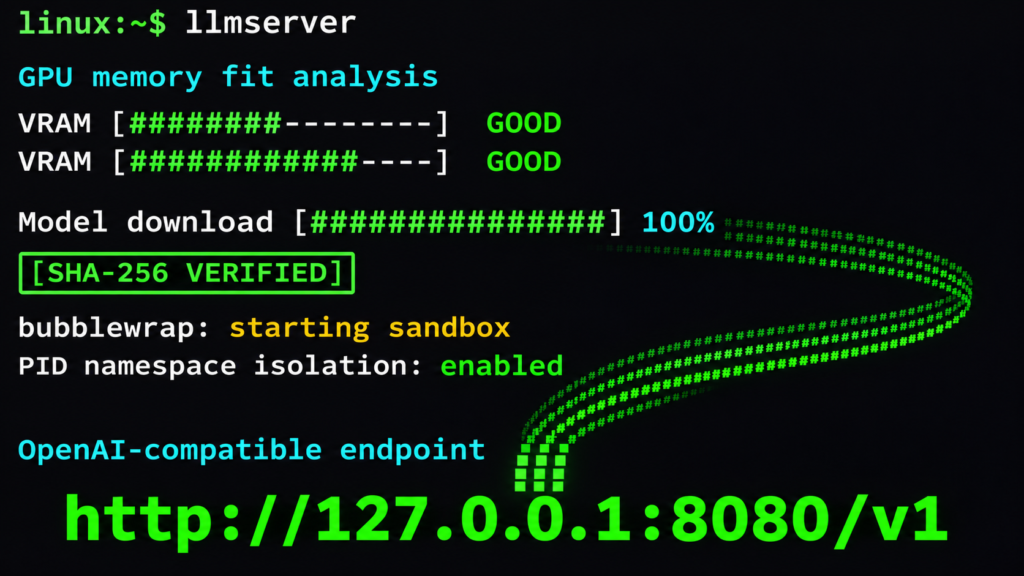
llmserver collapses the entire stack into one bash script. It installs llama.cpp, vLLM, and Ollama for you. Before a model starts, it calculates whether the model fits your GPUs, picks the optimal GPU and port, verifies every file against Hugging Face’s malware scans and SHA-256 checksums, launches the engine in a bubblewrap sandbox with its own PID namespace, and optionally exposes everything through a single OpenAI-compatible gateway at http://127.0.0.1:8000/v1 [S1][S2]. No Docker. No sudo. No system Python. Everything lives in ~/.llmserver and llmserver uninstall removes it cleanly.
At a glance
| | | |—|—| | Grandma-test difficulty | 2/5 — One curl | bash install, then llmserver llama:meta-llama/Llama-3.1-70B-Instruct-GGUF:Q4_K_M | | Try-it time | ~10 minutes to first token (includes engine downloads) | | Worth your time | 5/5 — Do Not Miss: the only tool that handles GPU fitting, security, sandboxing, and multi-model gateway in one user-space script |
What you need
- Linux x86-64 or ARM64 (WSL2 and containers work)
- bash 4.4+, curl, tar, gzip, coreutils, findutils, grep, sed, awk
- glibc 2.35+ (2.39+ for CUDA llama.cpp builds and vLLM on AMD)
- NVIDIA driver with
nvidia-smior AMDamdgpudriver (optional; CPU-only works via llama.cpp) - ~200 MB for runtime, plus 25–800 MB per engine, plus model sizes + 10%
bubblewraprecommended for sandboxing (install via package manager)
Simple setup walkthrough
1. Install llmserver
“bash curl -fsSL https://raw.githubusercontent.com/pavansreddy/llmserver/main/llmserver | bash -s -- install “
This downloads the script, verifies its SHA-256, and sets up ~/.llmserver with pinned engine versions [S2]. The script is ~3,000 lines of bash — readable, auditable, and no binary blobs.
2. Install the engines you want
“`bash
Show the plan without executing
llmserver install all -n
Install llama.cpp and Ollama (vLLM needs NVIDIA GPU)
llmserver install llama ollama “`
Engines are downloaded from official releases with pinned SHA-256 checksums verified before extraction [S2][S3]. llmserver never modifies your system package manager.
3. Add a model to the menu
“bash llmserver model add llama:meta-llama/Llama-3.1-70B-Instruct-GGUF:Q4_K_M “
This writes a line to ~/.llmserver/config/models. The format:
“ llama:ORG/REPO-GGUF:QUANT -c 65536 --parallel 2 vllm:ORG/REPO port=9000 ollama:NAME:TAG OLLAMA_NUM_PARALLEL=2 “
Flags after the model name are for llmserver (port, draft model, etc.), not the engine [S2].
4. Start the model
“bash llmserver llama:meta-llama/Llama-3.1-70B-Instruct-GGUF:Q4_K_M “
Before launching, llmserver:
- Checks GPU fit — queries
nvidia-smi, calculates VRAM needed for model + KV cache + 10% headroom, verdicts:GOOD(fits with 10% free),TIGHT(fits but long prompts may fail),OFFLOAD(part runs on CPU) [S2] - Picks GPU and port — selects the GPU with most free VRAM, assigns a free port
- Verifies supply chain — downloads from Hugging Face, checks every file against HF’s malware scans and SHA-256 checksums [S3]
- Sandboxes the engine — launches via bubblewrap with clean environment, own PID namespace, no session sockets [S3]
- Starts the OpenAI-compatible server —
http://HOST:PORT/v1
5. Test it
“bash curl http://127.0.0.1:<port>/v1/chat/completions \ -H "Content-Type: application/json" \ -d '{"model":"meta-llama/Llama-3.1-70B-Instruct-GGUF:Q4_K_M","messages":[{"role":"user","content":"Hello"}]}' “
6. Start the gateway (one address for all models)
“bash llmserver gateway start “
Now all running models are reachable at http://127.0.0.1:8000/v1. List them:
“bash curl http://127.0.0.1:8000/v1/models “
Clients select the model by name in the request body — drop-in replacement for api.openai.com [S1][S2].
Optional: Team chat with RAG and private web search
“bash llmserver install webui searxng llmserver webui start “
This launches Open WebUI (sandboxed, first account on loopback only, HTTPS with your cert) with:
- Hybrid RAG — document ingestion, pinned
bge-reranker-v2-m3reranker running on llama.cpp through the gateway’s/v1/rerankendpoint [S2][S3] - Private SearXNG — pinned commit, SHA-256 verified, no external dependencies [S3]
- Auth=key everywhere — every endpoint requires the gateway API key [S3]
Benchmarking and speculative decoding
“`bash
Single benchmark run
llmserver bench 1
With reasoning-level measurement
llmserver bench 1 –reasoning low
Compare historical runs
llmserver bench –history “`
Outputs: TTFT, prefill/decode speed, TPOT, ITL p50/p90/p99, end-to-end latency, plus a real question. After one benchmark, llmserver check and llmserver list estimate speed for your other models [S1][S2].
Speculative decoding (llama.cpp and vLLM only):
“`bash
llama.cpp: small draft model from same family
llmserver llama:ORG/BIG-GGUF:Q4_K_M –draft llama:ORG/SMALL-GGUF:Q4_K_M
vLLM: prompt lookup (no draft model needed)
llmserver vllm:ORG/REPO –draft ngram “`
Compare with --no-draft. Ollama has no speculative decoding support [S1].
Engine management: install, upgrade, roll back
“bash llmserver versions # What's installed llmserver upgrade # Pinned versions of everything llmserver upgrade llama --latest # Newest release (only if it publishes SHA-256 sums) llmserver rollback llama # Previous build (run again to go forward) “
Running models keep their engine until you restart them. Use your own engine build:
“bash llmserver config set llama_source /opt/llama.cpp/build/bin “
Security: trust but verify
llmserver’s trust system (v2.7.3) is the most rigorous in the local LLM ecosystem [S3]:
| Check | What it catches | |—|—| | SHA-256 + HF malware scans | Known malicious files, tampered downloads | | Pickle scan | Blocks pickle-only vLLM repos (ALLOW_PICKLE=off default) | | Remote code approval | --trust-remote-code only added after trust approve --remote-code per commit | | Size verification | Flags models >15% off expected size from param count + dtype | | Sandbox | bubblewrap with PID namespace isolation, clean env | | Optional scanners | ClamAV, modelscan (pickles), semgrep/gitleaks (approved code) | | SBOM | CycloneDX output for every model (llmserver trust sbom MODEL) | | Air-gap bundles | Uncompressed tar with SHA256SUMS, manifest, records, blobs |
Every decision is recorded in ~/.llmserver/trust/records/model/*.json — auditable, no opaque allowlists [S3].
Container deployment
Pass GPUs and mount /sys read-only:
“bash docker run --gpus all -v /sys:/sys:ro \ -v ~/.llmserver:/home/user/.llmserver \ your-image llmserver llama:ORG/REPO:QUANT “
llmserver follows the container’s memory limit and GPU masks [S1].
What llmserver is not
- Not a model trainer — inference only
- Not a fine-tuning tool — no LoRA/QLoRA workflows (though engines support them independently)
- Not a model converter — downloads GGUF/safetensors as published
- Not a Kubernetes operator — single-host focus (though containers work)
Conclusion
llmserver solves the “last mile” of local LLM ops: the gap between “I have a GPU” and “I have a production-ready, multi-model, secure, benchmarked inference stack.” It’s the only tool that combines GPU-aware fitting, supply-chain verification, sandboxed execution, a unified gateway, and team chat with RAG — all in one auditable bash script that respects your system boundaries [S1][S2][S3].
If you run Linux and want local LLMs without the operational debt, this is the tool.
Safety and rollback
- Stop one model:
llmserver stop <model> - Stop all:
llmserver stop all - Uninstall everything:
llmserver uninstall(add--purge-modelsto keep other tools’ files inmodels/) - Backup/restore:
llmserver backup/llmserver restore <bundle.tar>— includes models, config, trust records, engines [S2] - Logs:
journalctl --user -u llmserver-<model> -f(if using systemd) or check~/.llmserver/logs/
Sources
- [S1] llmserver – GitHub Repository — GitHub / pavansreddy (2026-10-27)
- [S2] llmserver document.md – Full Operator Manual — GitHub / pavansreddy (2026-10-27)
- [S3] llmserver security-design.md – Trust Model for Model and Skill Supply-Chain Security — GitHub / pavansreddy (2026-10-27)
- [S4] Deploying LLMs Locally: Ollama, llama.cpp, vLLM & Text Generation Inference — DEV Community / Phil IPS (2026-10-12)