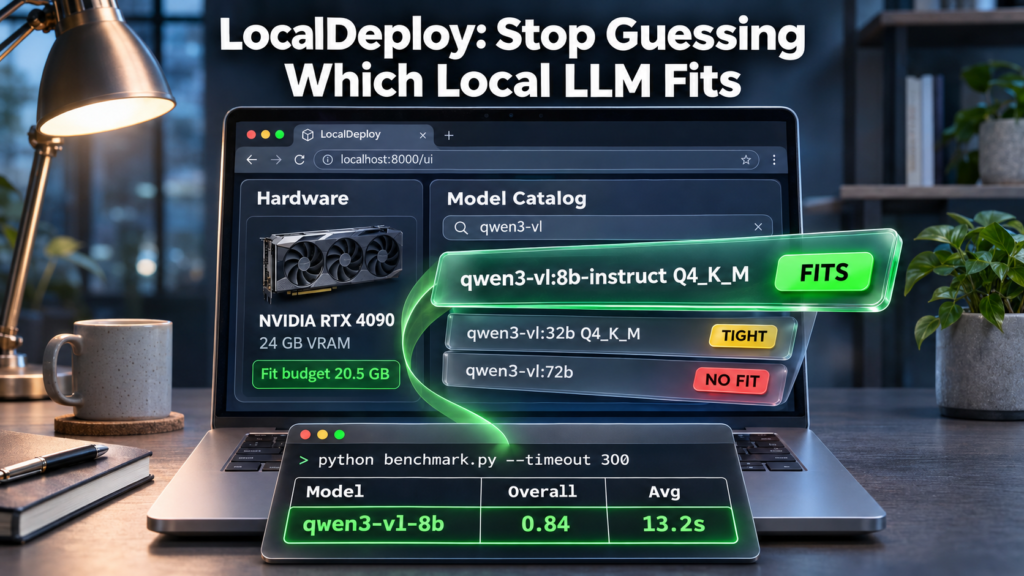
The Problem: Local LLM Deployment Is Still Trial and Error
You want to run a model locally. You check the model card — 7B parameters, Q4_K_M quantization. You pull it. It OOMs. You try Q3_K_M. It fits but hallucinates. You switch to llama.cpp. Different flags, different memory math. You spend an evening on quantization tables instead of building.
LocalDeploy exists to end that loop. It detects your hardware, estimates fit before you download, pulls from Ollama, Hugging Face, or ModelScope, runs standardized benchmarks with accuracy breakdowns, and serves the result through an OpenAI-compatible endpoint — all from a local web UI or CLI [S1].
—
Install and First Run
LocalDeploy installs three ways. The native launchers handle Python, Ollama, and the virtual environment:
“`bash
Linux
./run.sh
macOS
./run.command
Windows PowerShell
.\run.ps1 “`
Or from PyPI when Python and Ollama are already present [S6]:
“bash pip install localdeploy localdeploy “
Docker bundles Ollama so Python isn’t needed on the host:
“bash docker run -d --name localdeploy \ -p 127.0.0.1:8000:8000 \ -v localdeploy-data:/data/localdeploy \ -v ollama-data:/root/.ollama \ ghcr.io/oney-erge/localdeploy:latest “
The UI opens at http://127.0.0.1:8000/ui. The service binds to loopback by default — no external exposure unless you change it [S2][S3].
—
Hardware Detection and Fit Estimation
On first load, the Hardware tab probes your system: GPU inventory (NVIDIA, AMD, Intel, Apple Silicon), compatible VRAM pools, CPU, RAM, and a fit budget. You can override the budget to compare against another GPU or a smaller free-memory target [S1][S3].
The fit budget drives every recommendation. Green means the model should fit in VRAM. Yellow means tight or likely CPU offload. Red means the estimate exceeds available GPU or system memory. Estimates are conservative — not guarantees — because model architecture, actual quantization, runtime configuration, and other GPU use affect the result [S3].
The Quant Advisor compares published Ollama tags against your budget with green/yellow/red fit indicators. For llama.cpp, quantizing the KV cache saves substantial memory — q8_0 uses half the cache of f16; q4_0 uses one quarter [S4].
—
Model Discovery: One Search Across Three Registries
The Model Catalog searches Ollama’s library, Hugging Face GGUF repositories, and ModelScope GGUF repositories simultaneously. Filters: runtime (Ollama, llama.cpp), size, quantization, vision capability. Results show source badges and fit badges [S1][S3].
Pull or import options:
- Ollama tag:
qwen3-vl:8b-instruct - Hugging Face GGUF shortcut:
hf.co/user/model:quant.gguf - ModelScope shortcut:
modelscope.cn/user/model:file.gguf - Direct GGUF URL: downloads and registers with Ollama
- Local GGUF file: registers as a llama.cpp profile
Profiles are stored in config.json. The Your Models card separates disk size from estimated runtime memory and can bulk-delete [S3].
—
Benchmarking: Repeatable, Categorized, Comparable
The Benchmark workspace runs saved profiles against a built-in question set or custom JSON. Runs are sequential by default so models don’t compete for VRAM. Each run records:
- LocalDeploy and Ollama versions
- Model digest and quantization
- Context length, initial warm/cold state
- Hardware snapshot, requested vs actual placement
- Latency, accuracy, backend token rate
- Median, percentile, range, variance across repetitions [S3]
Categories: planning, classification, coding, math, JSON, hard JSON (nested schema: intent classification, plan construction, approval decisions with conditional fields, multi-task extraction). The hard JSON category was added because simpler JSON tests didn’t separate models well [S4].
Grader types: contains_all (keywords), json_array_min_len, number_within, exact_match, classification_set, json_keys_present. Custom question sets contain data only — a fixed registry selects the grader so uploaded files can’t add executable code [S3].
Export: single run as self-contained HTML report card with embedded JSON; multiple runs as JSON bundle (kind: "localdeploy.run_bundle"). Both import back into the run library.
—
July 2026 Benchmark Snapshot (RTX 3080 8GB)
Seventeen profiles, 25 tests, six categories. Peak VRAM includes ~1.8 GB desktop overhead. Qwen thinking output disabled for consistent grading (hurts math scores for reasoning models) [S4].
| Rank | Profile | Model | Overall | Avg Time | Peak VRAM | |—|—|—|—|—|—| | 1 | qwen3vl_8b_ollama | qwen3-vl:8b-instruct | 0.84 | 13.2s | 7372 MB | | 2 | qwen25_7b_ollama | qwen2.5:7b | 0.79 | 5.4s | 6323 MB | | 2 | gemma3_12b_qat_ollama | gemma3:12b-it-qat | 0.79 | 34.9s | 7460 MB |
Key takeaways: qwen3-vl:8b-instruct topped this mixed suite. qwen2.5:7b and qwen2.5-coder:7b were much faster than 12B Gemma profiles. llama3.2:3b was fastest overall. Math category is not a fair comparison (thinking disabled) [S4].
—
The Runtime Difference: Agent-Operator Benchmark (October 2026)
A second benchmark replayed decisions from a real agent loop (YBM install), scoring whether each choice was valid, used only shown information, and matched a successful step. Same laptop, Q4_K_M, 16K context [S4].
| Model, Runtime | Pass Rate | Sec/Step | VRAM | |—|—|—|—| | Qwen3.5-9B, llama-server | 55% | 3.7 | 5.6 GB | | Qwen3.5-4B, llama-server | 51% | 2.1 | 3.2 GB | | Qwen3-VL 8B, llama-server | 49% | 2.7 | 6.2 GB | | Qwen3-VL 8B, Ollama via LocalDeploy | 48% | 13.4 | — | | Qwen3.6-35B-A3B, experts in RAM | 57% | 17.9 | 6.7 GB |
The runtime made the biggest difference. The same Qwen3-VL 8B was ~5x faster through llama-server than Ollama with the same pass rate. Larger models, thinking mode, and Gemma 4/GLM/gpt-oss models didn’t beat the small Qwen models [S4].
LocalDeploy’s llamacpp adapter passes flags like --reasoning off to llama-server via profile server_args. Disabled profiles in config.example.json include qwen35_9b_llamacpp and qwen3vl_8b_llamacpp — enable them to test [S4].
—
Decision Models: Routing at /v1/systemone
Decision models answer typed questions (routing, classification) instead of generating text. LocalDeploy serves them via llamacpp adapter (llama.cpp b11976+) or PyTorch adapters requiring requirements-decision.txt [S2][S4].
CPU pick: d3-lite (0.85B, Apache-2.0) at Q4_K_M — 93% exact route accuracy, 0.61s at 8 threads. Through LocalDeploy: 0.69s (p95 0.76s) [S4]. Quantization is the biggest speed lever — d3-lite went from 1.9s (Q8_0) to 1.05s (Q4_K_M) with no accuracy loss. A shorter prompt cut latency further to 0.61s [S4]. 4B-class models are most accurate but too slow for CPU. Small models (Julia-1 144M, Laya 421M) don’t work zero-shot [S4].
—
Serving: OpenAI-Compatible API and Deployment Manifests
Deployed models serve at POST /v1/chat/completions with streaming. Chat tab supports images/documents, system prompt, Markdown. Timing line separates load time, first-token latency, throughput [S3].
Deployment manifests record digest, quantization, runtime settings, hardware snapshot, fit estimate. Export, validate, recreate endpoints move deployments — recreate may pull the model first [S3]. Integration snippets: Open WebUI, AnythingLLM, Continue, Cline, curl, Python, JavaScript, Docker Compose.
—
Monitoring and Auto-Pick
Monitor polls GET /system/monitor every 5s: CPU, RAM, GPU, VRAM, loaded models, request timing, charts. Warns on VRAM pressure, unexpected placement, throughput drops. Session summaries to reports/monitor-sessions/ [S3].
Auto-pick (POST /system/recommend) checks enabled profiles, runs short benchmark, ranks by accuracy, speed, memory headroom. Only evaluates installed models [S3].
—
Privacy, Offline Mode, and CLI
API_TOKEN enables a shared local token sent over HTTP — keep the service on loopback. OFFLINE=true disables model-search and update-check requests (doesn’t configure a separately started inference runtime). Docker and launchers set OLLAMA_NO_CLOUD=true. Run python scripts/egress_selftest.py to verify [S3].
CLI helper (scripts/chat.ps1 on Windows, similar on macOS/Linux) for one-shot or interactive chat without the browser. compare_models.py runs a fixed prompt battery (reasoning, coding, JSON, vision) against profiles and prints timing and quality side-by-side [S5].
—
What LocalDeploy Doesn’t Do
- No cloud inference — it’s a local orchestrator only
- No model training or fine-tuning — deployment and evaluation only
- No universal benchmark rankings — results are hardware- and prompt-specific
- No automatic model updates — you pull when you choose
- No multi-user isolation or TLS — single-user local tool
—
Reproduce the Benchmarks
Pull the models you want, enable their profiles in config.json, start the server, run:
“`bash python benchmark.py –timeout 300
Or limit categories:
python benchmark.py –include-categories structured_hard python benchmark.py –skip-categories math “`
Reports write to reports/. Web UI exports HTML report cards. Decision model benchmark: python scripts/decision_bench.py --profile NAME [S4].
—
Bottom Line
LocalDeploy answers the only question that matters before you download a model: will it fit and run well on this machine? It combines hardware detection, multi-registry search, conservative fit estimation with quantization advice, repeatable categorized benchmarks, decision-model serving, and OpenAI-compatible deployment — all local, no telemetry, loopback-only by default. The July 2026 benchmark on RTX 3080 8GB and the October 2026 agent-operator benchmark both confirm: runtime choice matters more than model size. If you’re running local LLMs on consumer or workstation GPUs, LocalDeploy replaces an evening of trial and error with a reproducible workflow.
LocalDeploy helps you answer a practical question before you download a model: will it fit and run well on this machine?
The runtime made the biggest difference: the same Qwen3-VL 8B was about five times faster through llama-server than through Ollama, with the same pass rate.
Sources
- [S1] LocalDeploy: Find, deploy, manage, and benchmark local AI models for your hardware across Ollama, llama.cpp, and compatible runtimes — Oney Erge (GitHub repository) (2026-10-30)
- [S2] LocalDeploy Installation and Runtime Commands — Oney Erge (project docs) (2026-10-30)
- [S3] LocalDeploy Web UI Guide — Oney Erge (project docs) (2026-10-28)
- [S4] LocalDeploy Models and Benchmarks — Oney Erge (project docs) (2026-10-31)
- [S5] LocalDeploy CLI Reference — Oney Erge (project docs) (2026-08-26)
- [S6] LocalDeploy PyPI Package v0.6.0 — PyPI (2026-07-20)