Grandma-test difficulty
Tier 1 — Instant Click
Try-it time
Under 60 seconds to first result
Worth your time
5/5 — Do Not Miss
—
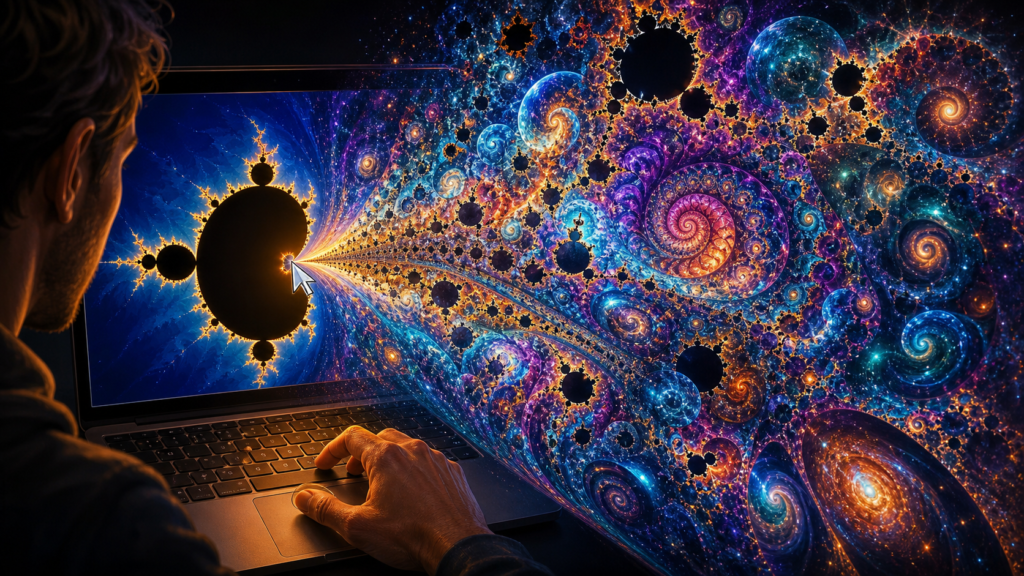
You open a link, click once, and a glowing mathematical masterpiece appears on your screen. Then you zoom in — and it gets more beautiful. Then you zoom in again. And again.
That is the Mandelbrot Fractal Generator. No install. No account. No tutorial. Just your browser and infinite, colorful detail hiding inside a simple equation [S1][S2].
What makes this project special
The Mandelbrot set is one of the most famous objects in mathematics — a shape of breathtaking complexity hidden inside deceptively simple arithmetic. This free, open-source tool renders it in your browser using pure JavaScript and zero libraries [S1].
What makes it stand out is its immediacy. You do not download anything. You do not create an account. You do not read a getting-started guide. You open a link, and the fractal is already there, glowing with color, waiting for your first zoom [S2].
The coloring algorithm adapts to every zoom level — deeper dives reveal richer palettes, from cool blues and greens into fiery reds and purples. Every pixel is computed in real time by your browser, which means every zoom is uniquely yours [S1].
The technology behind the beauty
The fractal is drawn using a simple rule: for each pixel on the screen, the app performs a calculation and colors it based on whether that calculation escapes to infinity or stays bounded. Points that stay bounded form the iconic black shape of the Mandelbrot set; points that escape are colored by how quickly they fled [S1][S3].
This is the same math behind a century-old problem — but you do not need to understand the equations to enjoy the result. The app handles every calculation, and you just explore [S3].
Simple setup walkthrough (3 steps)
Step 1: Open https://fractal.rafgraph.dev in any browser [S2].
The fractal appears instantly in fullscreen mode on desktop. On mobile, it responds to touch — pinch to zoom, tap to explore [S2].
Step 2: Click anywhere on the fractal to zoom in. Watch the colors shift and deepen as you dive deeper [S1].
Each click reveals a new layer of detail. The coloring algorithm adjusts automatically, painting the newly visible regions in fresh palettes.
Step 3: Use the escape time links (448, 896, or 1792) at the bottom to change the coloring depth and see the fractal redraw with different color ranges [S1].
Higher escape times reveal more intricate structures in the outer regions.
First thing to try: Your first zoom
Begin with the most basic interaction. Open the site [S2], and click any point on the colorful fractal. Watch how the view shifts and deepens, the colors shifting from blues into purples and reds. That is your first visible payoff — the moment of discovery that makes the experience special [S1].
Try clicking near the center of the shape. Often the most intricate patterns appear just at the edge of the black set, where the mathematics most clearly reveals its hidden structure. Each click is a new exploration, and there is no right answer — only your personal journey into the shape.
The coloring algorithm: how it works
What makes the fractal visually breathtaking is not just its shape — it is the coloring. Every pixel is colored based on how quickly that point escapes to infinity when the equation is iterated [S1]. Points inside the black set stay bounded forever and are colored black. Points that escape quickly get cool blues; points that escape slowly get warm reds, oranges, and purples [S3].
The app offers four escape-time settings — 224 (default), 448, 896, and 1792. Higher values reveal progressively finer details in the outer regions, where tiny spirals and filament structures emerge that are invisible at lower settings [S1]. You can switch between them at any time by clicking the links at the bottom of the page.
Turn it into a game or challenge
Challenge 1 — Find the hidden seahorse: Zoom into the outer edge of the fractal and try to find the famous seahorse valley — a region where tiny spiral shapes look like underwater horses. Screenshot your favorite discovery [S1].
Challenge 2 — Color hunt: Try each escape time option (224, 448, 896, 1792) and pick which color palette you think is the most beautiful. Share your favorite with a friend.
Challenge 3 — Compare and surprise: Take a screenshot at zoom level 1, then zoom in 10 times deeper and screenshot again. Show both to someone and ask them to guess which is more zoomed in.
Optional expert rabbit hole
For those who want to go deeper, the fractal.js API is publicly documented and can be integrated into any web project [S1]. You can set custom coordinates to jump to specific regions, adjust the maximum escape time programmatically, or embed the fractal viewer in your own site.
The source code on GitHub shows how the coloring algorithm works — each case maps escape iterations to a specific color transition, creating the rainbow gradients you see [S1]. Understanding this logic is a gentle introduction to how generative art and mathematical visualization work under the hood.
One thing to know
The repository has not seen a new commit in six years, which means the core experience is stable and complete — but if you encounter a browser compatibility issue, it may not be actively fixed [S1]. The live demo runs on GitHub Pages and works well in modern browsers, but very old browsers may not support all features.
The bottom line
Try tonight if: You want to see something beautiful in under a minute — no install, no account, no jargon. This is the perfect you-cant-believe-you-just-did-that experience for anyone who has ever wondered what lies inside a mathematical equation [S2].
Skip if: You need a polished editing suite with sharing features or export options. The fractal explorer is a single-purpose experience — delightful, but not a production tool.
Sources
- [S1] Mandelbrot Fractal Generator — GitHub Repository — rafgraph / GitHub (2015-06-15)
- [S2] Mandelbrot Fractal — Live Demo — fractal.rafgraph.dev (2026-08-31)
- [S3] Mandelbrot Set — Wikipedia — Wikipedia / Wikimedia Foundation (2026-08-31)