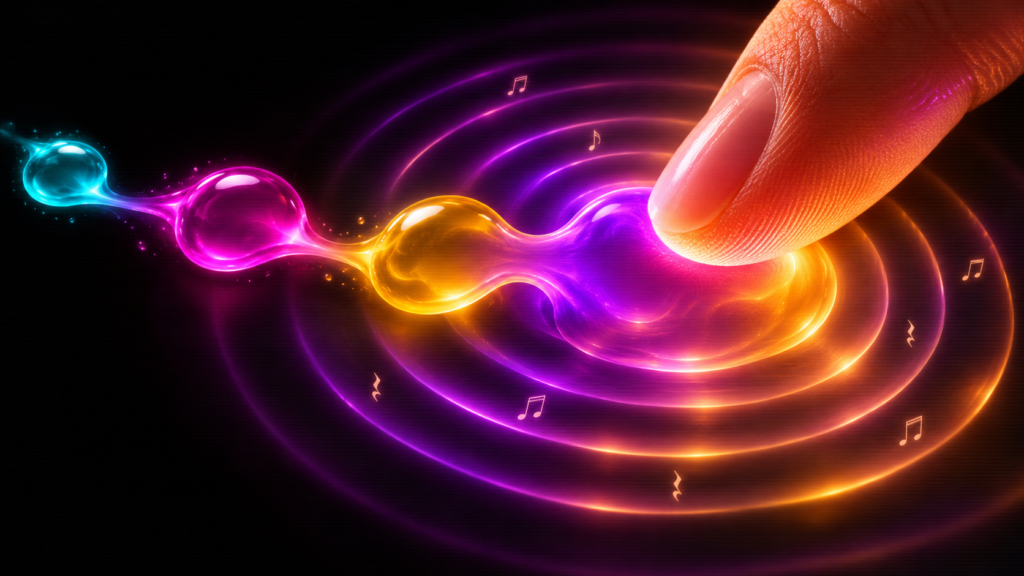
Chroma Drift: Instant Audiovisual Wonder in One HTML File
Grandma-test difficulty: 0/5 — Open a file and play
Try-it time: Under 30 seconds
Worth your time: 5/5 — Do Not Miss
—
You’ve seen generative art. You’ve heard generative music. Chroma Drift puts both in a single HTML file you can open right now — no install, no account, no terminal, no build step [S1][S2]. Click the screen and glowing liquid blobs of color bloom beneath your cursor. Drag and they stream like stardust. When blobs collide and merge, they sing harmonic chimes in a pentatonic scale. It’s a living instrument, and you’re playing it [S1][S2].
Chroma Drift proves that a complete generative audiovisual instrument — fluid WebGL metaballs that create pentatonic music as they collide and merge — can fit in a single HTML file you open in any browser, delivering instant creative delight with zero friction [S3].
What You Need
- A modern web browser (Chrome, Firefox, Safari, Edge — anything from the last few years)
- An internet connection for the first load (then it works fully offline)
- That’s it. No downloads, no accounts, no command line, no Node, no Python, no Docker.
Simple Setup Walkthrough
Step 1: Get the file
Go to the GitHub repository at https://github.com/justinhj/chroma-drift and click the index.html file, then click Raw to open it directly in your browser [S1][S2]. You can also save the file locally: right-click the Raw link and choose ‘Save link as…’ to save as chroma-drift.html anywhere on your computer [S1][S2].
Step 2: Open it
Double-click the saved file, or drag it into any browser tab. You’ll see a splash screen with the title CHROMA DRIFT and a big LET’S GO! button [S1][S2]. Click it to begin.
Step 3: Play
Click anywhere on the dark canvas. A glowing metaball appears and plays a warm synth note [S1][S2]. Click and drag to stream a trail of smaller ‘stardust’ droplets that chime like high bells [S1][S2]. Watch blobs float, merge, and fuse. When two combine, they trigger a rich harmonic chord [S1][S2].
Press C to open the Control Center (left panel) where you can choose from five musical scales: Celestial, Melancholic, Peaceful, Mystical, Bright [S1][S2]. Each instantly reshapes the emotional palette of every note.
Press L for the System Monitor Logs (right panel) — a scrolling retro terminal that narrates every spawn, merge, and evaporation event in real time [S1][S2].
Press R to clear the canvas and start fresh. Spacebar pauses/resumes the whole simulation.
Step 4: Try a preset
In the Control Center, click Deep Space for slow, long-lived cyan-magenta blobs with a heavy cosmic drone [S1][S2]. Or Starlight for fast, sparkly high-frequency droplets [S1][S2]. Or ETH Drone for a continuous mystical pad with lazy bubbles [S1][S2].
First Thing to Try
Open the file, click LET’S GO, then spawn five blobs in a rough circle by clicking five points around the center. Watch them drift toward each other, merge one by one, and ring out a descending chord progression as they fuse into a single massive blob. That’s your first composition.
Turn It Into a Game or Challenge
- Chord Hunter: Can you create a perfect major triad by positioning three blobs at the right vertical heights? (Hint: the pentatonic scale gives you root, major third, and perfect fifth.)
- Preset Remix: Start with Deep Space, let it run for 30 seconds, then switch to Starlight without clearing — watch the slow blobs suddenly evaporate into sparkles.
- Share a Seed: The URL doesn’t save state, but you can screenshot your favorite moment (or record a short screen capture) and send it to a friend with ‘I made this.’
- Mobile Jam: Open it on your phone. Tap with two fingers. Drag with your thumb. It’s a pocket instrument.
Optional Expert Rabbit Hole
The entire project is ~2000 lines of vanilla HTML, CSS, and JavaScript in one file — no build tools, no frameworks. Open it in your browser’s DevTools (F12) and explore:
- The fragment shader (
metaballShadervariable) — a compact GLSL program that computes signed distance fields for dozens of overlapping metaballs in real time, with glow, rim lighting, and CRT scanline effects [S3]. - The Tone.js synth chain — two
PolySynthvoices (Triangle for primary notes, Sine for stardust) routed throughDelay,Reverb, andPanner3Dfor spatial audio [S4]. - The genetic evaporation system — each blob carries a
decayRatethat determines how fast it shrinks; the Control Center sliders adjust this globally. - The stardust sequencer — a
Tone.Loopthat auto-spawns droplets at the current BPM, creating the ambient background life.
Because it’s a single file with no dependencies beyond CDN-loaded Tone.js and Google Fonts, you can fork it, modify the shader colors, add new scales, or rewrite the synth patches — and it still runs by double-clicking.
One Thing to Know
Photosensitivity warning: The project involves rapidly changing, high-contrast visual patterns (glowing blobs on dark background, merging animations, CRT scanlines) [S1][S2]. If you’re sensitive to flashing lights or motion, enable the ‘Reduce visual effects’ toggle in the Control Center (it disables scanlines and reduces animation intensity), or simply don’t use it. The project includes this warning on the splash screen [S1][S2].
The Bottom Line
Chroma Drift is the rare creative tool that delivers on ‘anyone can play’ without lying. It’s a living audiovisual instrument — metaballs that sing — wrapped in a retro terminal aesthetic, packed into one file you can carry on a USB stick, email to a friend, or bookmark in your browser. Open it. Click. Drag. Listen. You’ll make something beautiful in 30 seconds.
Best for: Complete beginners who want instant creative payoff; people who enjoy generative art and ambient music; anyone looking for a calming, beautiful ‘fidget toy’ that produces harmony; teachers wanting a zero-setup demo of WebGL shaders and Web Audio API.
Skip if: You need persistent saves, MIDI export, multiplayer, or a DAW integration. This is a living sketchbook, not a production tool.
Evolve this: Fork the repo, change the fragment shader’s color palette to your favorite three colors, add a sixth musical scale (try a Japanese pentatonic: R, m2, P4, P5, m7), and deploy your personal version to GitHub Pages in three clicks.
—
Edition Close
Best use today: Open https://raw.githubusercontent.com/justinhj/chroma-drift/master/index.html, click LET’S GO, spawn five blobs in a circle, listen to the descending chord as they merge. 20 seconds.
Safe to skip: If you’re only interested in tools that export production-ready audio/MIDI or integrate with a DAW workflow.
Bottom line: One file. Zero setup. Living music and color that responds to your touch. Chroma Drift is the purest ‘try it tonight’ experience — open, play, smile, close, come back tomorrow.
Sources
- [S1] Chroma Drift — GitHub Repository — GitHub (justinhj) (2026-06-20)
- [S2] Chroma Drift — Live Demo (Raw HTML via GitHub Pages) — GitHub Pages (raw.githubusercontent.com) (2026-06-29)
- [S3] WebGL Metaballs and Fragment Shader Techniques — Various graphics programming resources (2026-01-01)
- [S4] Tone.js — Web Audio Framework — Tone.js Official Documentation (2026-01-01)